


Fantasy Color By Number Game
4.71.68K Reviews
App Specs
- Version
- 1.3.9
- Updated On
- License
- Free
- Downloads
- 1,000,000+
- Developer
- Art Coloring Group
- Categories
- Board
- Platform
- Android, iOS
Screenshots




 Analysis by AppCompare
Have you ever found yourself needing a little escape from the hustle and bustle of everyday life? Let me introduce you to Fantasy Color By Number, a delightful app that’s been my go-to for unwinding after a long day. If you’re a fan of coloring books or simply enjoy a bit of creative relaxation, you’re in for a treat!
A calmer way to spend a short break
I find this kind of board-style coloring game most useful when I want an activity with a clear next step but no pressure to invent a picture from scratch. The numbered regions give me a small, concrete task: choose a color, find its matching spaces, and move on when I’m ready. That makes it easier to pick up for a few minutes than a blank canvas or an open-ended drawing app, where deciding what to make can be half the work.
A realistic routine is to open a picture while waiting for an appointment or taking a quiet break, finish a few areas, then put the phone away. The appeal is in the steady sequence of taps rather than in producing an original illustration. If I’m looking for freehand drawing tools, layers, or a way to develop a custom design, I’d choose a different kind of app; this is guided coloring, not a drawing studio.
Who is likely to enjoy it
I’d recommend it to people who like fantasy artwork and want a gentle activity they can approach without prior art skills. It can also suit a family setting where a child and adult take turns choosing areas, though I’d still keep an eye on how long a younger player spends on a screen. The game is rated for Everyone, but that does not make every image or every session automatically right for every child; choosing pictures together is a sensible way to make the activity fit the person using it.
The game is free to start, while optional in-app purchases range from $4.99 to $59.99 per item. That matters if you are deciding whether to let a child play independently or want to keep spending predictable. I’d check the purchase flow before handing over a device, and treat paid content as optional rather than necessary to enjoy the basic coloring loop.
First Impressions and What to Expect
When I first stumbled upon the Fantasy Color By Number app, I was instantly drawn to its vibrant icon and intriguing title. Downloading it was a breeze, and I was eager to dive into its world of colors and creativity. The app opens up with a clean and intuitive interface, making it super easy to navigate even if you’re a first-timer.
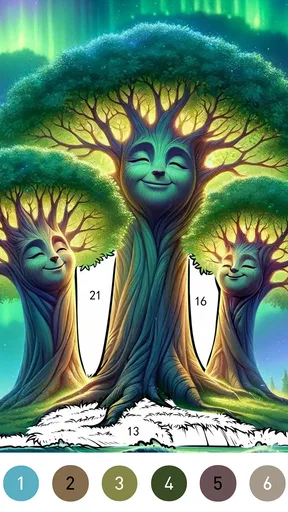
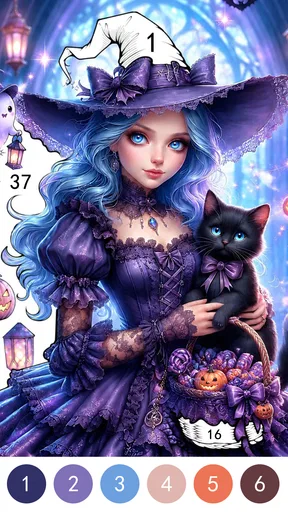
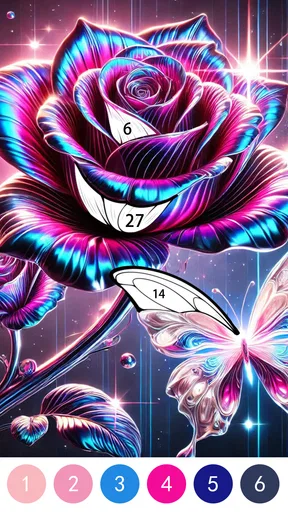
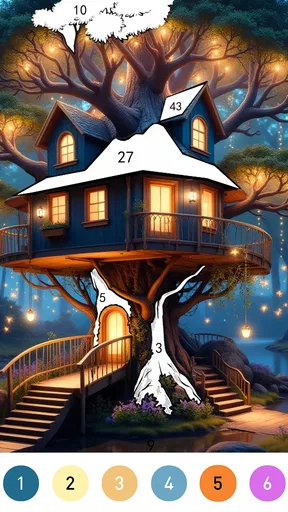
As soon as you open the app, you're greeted with a plethora of categories to choose from. Whether you’re into mythical creatures, enchanted forests, or magical landscapes, there’s something here for everyone. The images are beautifully detailed, giving you plenty of space to unleash your inner artist.
Worth Reading Before You Choose

EA SPORTS FC Mobile 26 Is a Bigger Football Game, but It Takes Time

Flipboard Shows What News Apps Must Do Beyond the Feed

Switching to Android Auto Means Rethinking Your Driving Routine

Google Calendar Makes a Crowded Week Easier to Manage

Ludo King Makes the Most of the Minutes Between Plans

Baby Panda World Brings Quick Play to Modern Phones, but Its Game Library Feels Busy
Readability and navigation in practice
The numbered layout gives the experience a useful visual structure: I can focus on one color and its matching spaces instead of scanning an entire picture without a plan. If a detailed area slows me down, zooming in makes it easier to work carefully, while the undo option gives me a way to recover from a mistaken tap. I’d use those tools deliberately rather than trying to rush through every small section.
One practical approach is to begin with larger, easy-to-spot areas, then zoom in for the fine details. That reduces the chance of repeatedly searching the same crowded part of an illustration. The hint system can help when I lose track of a remaining section, but I’d save hints for genuine stalls; using them immediately can take away some of the satisfaction of finding the next numbered spot myself.
Diving Into the Coloring Experience
Now, let’s talk about the actual coloring part. Each image is broken down into numbered sections, which you fill in with the corresponding colors. It’s as simple as that! It’s like bringing a paint-by-numbers book to life, but without the mess. Just tap on a color and then tap on the corresponding numbered section. It’s oddly satisfying and incredibly addictive.
I have to say, one of my favorite features is the zoom-in option. It allows you to get up close and personal with those intricate details, ensuring you don’t miss a spot. Plus, the app is pretty forgiving. Accidentally color outside the lines? No worries. A quick tap on the undo button, and you’re back on track.
Motor and sensory considerations
Because coloring is done by tapping small areas, the experience can be more comfortable for someone who has steady, precise touch than for someone who finds repeated small taps tiring or difficult. Zooming can help with intricate spaces, but it does not remove the need to locate and select individual sections. I’d try a less detailed image first and see whether the size of its regions feels manageable before settling into a longer session.
The numbered sequence and gradual filling may feel calm to players who enjoy a predictable visual task. On the other hand, a screen full of tiny cells can become tiring for someone sensitive to visual clutter, or simply annoying when they want a fast, low-effort pastime. I’d keep sessions short and take a break if close inspection starts to feel more like work than relaxation. This is a personal fit question, not a claim that the game offers specialized accessibility settings.
Features That Stand Out
Besides the coloring itself, the app offers a few nifty features that enhance the overall experience. For one, there’s a handy hint system. Stuck on a tricky section? A hint will guide you to the next area to color. It’s perfect for those moments when you’re stumped and just want to keep the flow going.
Another highlight is the daily challenges. Each day, a new image is unlocked, offering a fun and engaging way to keep you coming back for more. Completing these challenges earns you coins, which you can use to unlock premium images. It’s a great incentive and adds a layer of excitement to your coloring journey.
Using challenges without turning play into a chore
Daily challenges can give me a reason to return, but I wouldn’t treat them as an obligation. Their value depends on whether I enjoy having a suggested picture ready to go; if I prefer to choose only when I have time, the daily prompt may feel like a reminder rather than a benefit. I’d approach the coins as a gradual extra, not as a reason to keep playing when I would rather stop.
Compared with a paper coloring book, this game avoids carrying pencils and supplies and makes correcting a tap easy. Compared with freehand art apps, it asks much less of the player creatively, but also gives less control over the final composition. That trade-off is central: the numbered format is good when I want guided, low-stakes focus, while a physical book may be better for people who prefer tactile materials or want to color away from a screen.
Situational access and everyday use
The short, repeatable actions make it easy to fit a few minutes of play into a quiet pause at home or during a wait, provided the phone is comfortable to hold and the screen is easy to see in that setting. I would avoid relying on it while walking, crossing a street, or doing anything that needs attention; looking closely at small numbered sections naturally draws the eyes to the display.
If you are choosing a game for a shared device, it may help to agree on a stopping point before beginning, especially when a picture is unfinished or a challenge is available. That keeps the experience flexible instead of letting the promise of one more area stretch a brief break. Someone who needs an activity that works without close visual attention, or who wants a social game built around conversation and turns, will probably be better served by another option.
Remaining barriers and practical expectations
The main friction I notice is the tension between detail and ease: elaborate pictures can be appealing to look at, yet small sections take more searching and tapping. Hints and zooming help with parts of that process, but they do not change the basic task. If repetitive touch is uncomfortable, or if you prefer broader brush strokes and more freedom, a simpler coloring app or a traditional large-print coloring page may be a better match.
The game has a 4.8 average from around 13,000 ratings, and it has been installed over a million times. Art Coloring Group develops it; it is free to download, with optional purchases for individual items. The current version is 1.3.6, and it runs on operating system version 7.1 or later. It was released on January 12, 2024. Those details make it straightforward to check basic compatibility and cost expectations before trying it, while the purchase range is a reminder to review spending controls on a shared device.
Perfect for All Ages
While the app is primarily aimed at adults looking for a bit of escapism, it’s also a fantastic option for kids. The simple tap-to-color mechanics make it accessible to younger users, and the wide array of images ensures that there’s something suitable for all age groups. It’s a wholesome way to keep the little ones entertained and boost their creativity.
An inclusive verdict
I see this as an approachable choice for people who enjoy fantasy scenes, structured coloring, and a task that can be paused between small steps. It is less suitable for anyone who wants freehand creation, screen-free relaxation, or a game that avoids fine tapping and close visual attention. The best way to decide is to try a simple picture, check whether the controls feel comfortable, and see if the numbered routine actually helps you unwind.
Final Thoughts
All in all, Fantasy Color By Number is a gem of an app that’s both relaxing and engaging. Whether you’re a seasoned colorist or just looking for a new hobby, it’s sure to provide hours of entertainment. The combination of beautiful artwork, intuitive controls, and rewarding features makes it a standout in the realm of digital coloring books.
So, if you’re looking to add a splash of color to your day, why not give Fantasy Color By Number a try? Grab your phone, download the app, and let your creativity run wild. Trust me, you won’t regret it!
Pros
- Vibrant and diverse color palette.
- Intuitive and easy-to-use interface.
- Regular updates with new designs.
- Offline mode available for uninterrupted play.
- Soothing background music enhances experience.
Cons
- Limited free content; in-app purchases needed.
- Ads can be intrusive and frequent.
- No customization for color shades.
- Requires a stable update for performance issues.
- Limited social sharing options.
FAQs for Fantasy Color By Number Game
What is the Fantasy Color By Number Game?
The Fantasy Color By Number Game is a digital coloring app that allows users to paint intricate fantasy-themed artwork using a color-by-number system. The app offers a relaxing and creative experience, with a wide range of magical creatures and landscapes to bring to life with a simple tap of your finger.
Is the Fantasy Color By Number Game free to play?
Yes, the Fantasy Color By Number Game is free to download and play. However, it offers in-app purchases for additional features, such as exclusive artwork, ad-free experience, and special tools to enhance your coloring experience. Users can enjoy the basic features at no cost, with optional paid content.
What are the system requirements for the Fantasy Color By Number Game?
The Fantasy Color By Number Game is compatible with most Android and iOS devices. It requires iOS 10.0 or later for Apple devices and Android 5.0 or later for Android devices. Ensure you have adequate storage space and a stable internet connection for the best experience and to access new content updates.
Does the Fantasy Color By Number Game work offline?
The Fantasy Color By Number Game does offer offline functionality for coloring previously downloaded images. However, an internet connection is required to download new artwork and receive updates. It's ideal for users who want to enjoy coloring on the go, with the option to access new content when online.
How often is new content added to the Fantasy Color By Number Game?
The developers of the Fantasy Color By Number Game frequently update the app with new artwork and features. Typically, new content is added weekly, providing users with fresh and exciting pieces to color. This ensures a dynamic and engaging experience, keeping users entertained with a steady stream of new fantasy art.


